Guides
Why Some PDFs Open Instantly in Your Browser While Others Take Forever
9 September 2026 · 5 min read
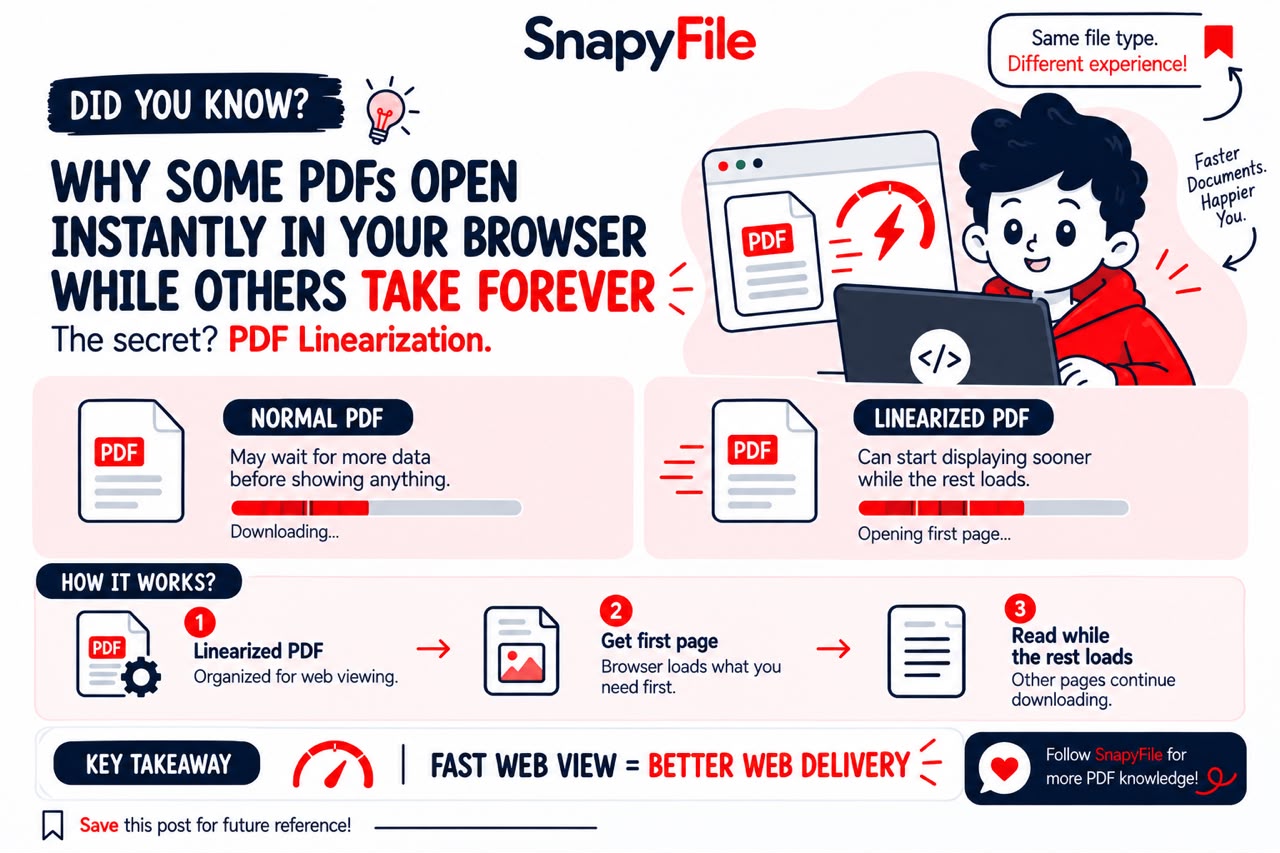
You click a PDF link, and it just sits there. Meanwhile the same-sized file from another site shows you page one almost instantly.
That difference usually isn't about file size at all. It's about a PDF setting most people have never heard of: linearization, also known as Fast Web View.
What linearization actually is
A linearized PDF isn't a different file format — it's the same PDF, just reorganized internally so a viewer can start showing the first page before the rest of the file has finished downloading. Adobe's own documentation describes it as organizing a PDF for "efficient incremental access" over a network, which is a fancy way of saying: the important stuff comes first.
Nothing about the content changes. The text is the same text, the images are the same images. What changes is the order things are stored in, so a browser doesn't have to treat the whole file as one giant block before it can do anything with it.
It's a bit like how streaming video works — you don't wait for a two-hour movie to fully download before watching the first minute. A linearized PDF applies a similar idea, just through a completely different technical mechanism.
Why a normal PDF can feel slow
A PDF is really a bag of objects: text, fonts, images, page data, annotations, metadata. The order those objects sit in the file often has nothing to do with the order you actually read them in.
Linearization adds a proper map to that bag — a linearization dictionary and a set of hint tables — so a viewer knows where to look for what it needs first, instead of scanning through everything. That's the whole trick.
Where this actually matters
This shows up most on mobile. Someone opening a 40-page product catalog or a government form from their phone usually just wants to see page one. If the viewer has to pull in a huge chunk of data before showing anything, that wait is exactly what linearization is meant to avoid.
It tends to matter most for:
For a two-page PDF, you probably won't notice a thing either way. The benefit shows up once a file is big enough, and the network slow enough, for "start now" to actually beat "wait for everything."
- Annual reports and research papers with lots of charts
- Product catalogs with hundreds of images
- Technical manuals people skim rather than download
- Government and legal documents accessed by all kinds of connections
- Marketing brochures opened straight from a website
It's not the same thing as compression
This is where people mix things up. Compression shrinks the file. Linearization reorganizes it. You can have either one without the other, or both together — and they solve different problems.
| Compression | Linearization |
|---|---|
| Reduces how much data the file contains | Reorganizes existing data for network access |
| Makes downloads smaller | Makes early viewing possible during download |
| Doesn't touch file structure | Doesn't touch file size |
| Helps every kind of PDF delivery | Mainly helps PDFs opened directly in a browser |
If your PDF is 80MB because of huge uncompressed images, linearizing it won't fix that. And if it's already a reasonable size but the browser still has to wait too long to show page one, compression alone won't fix that either. They're two different questions worth asking separately.
The part people forget: the server matters too
A linearized file on its own doesn't guarantee anything. The server hosting it needs to support HTTP byte-range requests — the ability to hand over part of a file instead of the whole thing on every request. Adobe's PDF Embed documentation specifically calls this out: without range support on the server side, a linearized PDF can't actually be streamed in pieces, no matter how well-organized the file itself is.
So there are really three things that all have to cooperate: the PDF's own structure, the server it's hosted on, and the viewer opening it.
A reasonable order to do things in
If you're getting a PDF ready to publish on a website, this is roughly the order that makes sense:
1. Finish editing the document — don't optimize a draft 2. Double-check content, links, and images render correctly 3. Trim unnecessarily large images or embedded resources 4. Export the final PDF 5. Linearize it for web viewing 6. Confirm your hosting supports byte-range requests 7. Actually open the live URL on a phone and see how it behaves
That last step gets skipped more than it should. How a file behaves on your own laptop tells you very little about what a visitor on a spotty connection actually experiences.
Does any of this help SEO?
Not directly, and it's worth being honest about that. Linearizing a PDF doesn't add keywords or change how Google ranks it. What it does is make the document faster and more pleasant to actually use once someone's already there — which is a real, separate kind of value from search ranking, even if it's not the same thing.
The short version
A PDF doesn't need to arrive as one complete package before someone can start reading it. Linearization — Fast Web View, if you've seen that label in Acrobat — reorganizes the file so a compatible viewer can show useful content while the rest is still on its way in.
It won't shrink a bloated file, and it isn't a replacement for compression. It solves a narrower problem: getting the part someone actually needs in front of them sooner. For a short document, you'll never notice. For a hundred-page catalog opened over a mobile connection, it's the difference between "here's your page" and staring at a spinner.